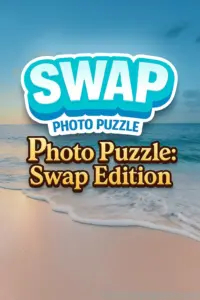
Play Photo Puzzle: Swap Edition right now on addictivepcgames.com. This clever browser game blends tile swapping with crisp photo logic to create a relaxing, brain teasing experience you can enjoy online without downloads. Photo Puzzle: Swap Edition drops you into vibrant images sliced into mixed up tiles, your job is to swap pieces until the picture snaps into place. If you crave a quick mental reset, prefer unblocked puzzle fun at school or work, or want a smooth challenge loop with zero friction, this is your pick. Click Play, shuffle your mind, and start solving Photo Puzzle: Swap Edition today.
About Photo Puzzle: Swap Edition
Photo Puzzle: Swap Edition is a tile swap photo puzzler that runs in the browser, perfect for short sessions and longer marathons. The goal is familiar, finish the photo by swapping two tiles at a time. What sets it apart is the clean UI, tactile swap animations, and a difficulty curve that scales from cozy casual to tightly timed challenges. Whether you are a puzzle purist or a casual gamer who likes a calm online distraction, Photo Puzzle: Swap Edition offers bite sized rounds with just enough friction to keep you hooked.
History of Photo Puzzle: Swap Edition
Tile swap puzzles have been a staple of print and digital logic games for decades. Photo Puzzle: Swap Edition takes that classic concept and optimizes it for instant play inside modern browsers. The design trims menus and clutter so you reach the first satisfying swap in seconds, a big reason it fits so well on addictivepcgames.com where quick play and discoverability matter.
Style & Vibe
Expect bright photography, light interface chrome, and satisfying clicky feedback each time two tiles switch places. Sounds are soft and encouraging, with subtle highlights guiding your eye to the next promising swap. The vibe is calm, focused, and a little zen, perfect for a coffee break or a late night wind down.

Gameplay in Photo Puzzle: Swap Edition
Each level shows a sliced photo laid out in a grid, such as 3×3, 4×4, or 5×5 depending on difficulty. Tiles begin scrambled. You select a tile, pick another tile, then watch them swap. No sliding, no empty space, just strategic swaps that move you closer to the finished image. The best flow blends pattern spotting with memory. Mark corners and edges first, align unique colors or textures, then refine the interior segments. Time pressure and move limits, when enabled, push you to plan chains rather than single swaps. Photo Puzzle: Swap Edition rewards patience, but also gives speed demons a path to leaderboard worthy clear times.
Game Modes
- Classic: Solve at your own pace with unlimited moves.
- Time Attack: Finish the photo before the clock hits zero.
- Move Limited: Clear the image in the fewest swaps possible.
- Endless Shuffle: A relaxing stream of photos with escalating grid sizes.
- Daily Challenge: One curated image each day for consistent practice.
How to Play
- Press Play to load your first photo puzzle in the browser.
- Scan the image fragments. Identify corners, edges, and unique color blocks.
- Click or tap two tiles to swap their positions.
- Build the border first, then fill the middle with matching textures and lines.
- Use hints if available, save them for late game when small misplacements slow progress.
- Submit your win to track time or moves, then queue up the next photo.
Controls
- Mouse: Left click a tile, left click a second tile to swap.
- Touch: Tap a tile, then tap another tile to swap.
- Keyboard: Optional, arrow keys to move selection, Enter to confirm swap if supported.
- Hint: Click the hint icon when stuck.
- Menu: Pause, restart, or change difficulty from the in-game menu.
Device Compatibility & Browser Support
Photo Puzzle: Swap Edition is designed for fast online play on modern browsers. It runs well on Chrome, Edge, Firefox, and Safari on Windows, macOS, and Linux. On mobile, it performs smoothly in Android Chrome and iOS Safari. A stable internet connection loads images quickly, then gameplay continues with minimal bandwidth use.
Mobile vs. Desktop Gameplay
Desktop gives you larger tile visibility and precise mouse swaps, great for harder grids. Mobile offers couch-friendly taps, quick sessions, and effortless pick up and play. If you chase records, desktop precision helps. If you play to relax, mobile’s tap-to-swap flow feels natural.
Can I Play Offline?
Photo Puzzle: Swap Edition is a browser game that requires an internet connection to load and sync content. After a page refresh, you will need to be online to play again.
Can I Play Unblocked?
Yes, Photo Puzzle: Swap Edition runs in the browser, making it a strong pick for unblocked gaming where simple web access is allowed. If a network filter prevents access, try a different browser or a non-school network.
- Browser: Play on addictivepcgames.com with no download.
- Mobile Stores: There is no confirmed official Google Play or App Store version of Photo Puzzle: Swap Edition at this time.
- Looking for mobile apps? Try a similar tile swap or photo puzzle on your phone by searching your store for “photo swap puzzle” or “tile swap puzzle.”
Beginner Tips
- Start with corners and edges, the straight borders align the rest of the picture.
- Group tiles by dominant color blocks like sky, grass, or skin tones.
- Use quick test swaps. If a piece looks worse, immediately undo with a reverse swap.
- Zoom the page if your browser supports it for fine detail on higher grids.
- Keep an eye on patterns like stripes, bricks, or hair that flow across multiple tiles.
Advanced Strategies
- Plan two-step swaps to move a tile into position without disturbing finished sections.
- Work in 2×2 chunks, lock a small block, then migrate the block to the correct quadrant.
- Prioritize unique micro details, small logos or highlights can place an entire row.
- If move limited mode is active, map out a minimal path, avoid exploratory swaps.
- In time attack, clear the border, then snake through rows for efficient coverage.
Features
- 🧩 Satisfying tile swap mechanics that feel crisp and responsive
- 🖼️ Beautiful photo sets across nature, city, food, and abstract themes
- ⏱️ Time attack and move limited modes for competitive players
- 🌈 Adjustable grid sizes to match your skill and mood
- 🔊 Gentle sound cues and feedback for a relaxing loop
- 💾 Progress tracking for times, moves, and best streaks
- 📱 Smooth play on desktop and mobile browsers
- 🎯 Daily challenge that keeps you coming back
Unlockables & Secrets
Complete sets to unlock fresh photo themes and higher grid sizes. Aim for flawless runs in move limited mode to reveal bonus images. Keep an eye on seasonal photos that rotate into the lineup during holidays.
Cheats & Mods
There are no official cheats for Photo Puzzle: Swap Edition. The best path is smart planning and selective hint use. Browser extensions that alter gameplay are not recommended and can hurt performance or stability. Play fair, set real records, and enjoy the improvement curve.
Walkthrough Summary
Build the frame with corners and edges, lock one side, and expand inward. Tackle unique zones next, such as a skyline or a bright subject. Use hints late to resolve stubborn middle pieces. In time attack, stay calm, keep swaps decisive, and glance at the full picture preview whenever you drift off path.
Scoring, Records & Progression
Your performance in Photo Puzzle: Swap Edition is tracked by clear time, swap count, and streaks. Beat your best on each grid size to climb the local leaderboard. String together clean runs without hints to unlock tougher grids and themed photo packs. Consistent daily clears sharpen pattern recognition and shave seconds off future times.
Why Play Photo Puzzle: Swap Edition
If you love quick thinking challenges that respect your time, Photo Puzzle: Swap Edition is perfect. The browser-based format means instant play, the tile swap mechanic is intuitive, and the difficulty slider makes it friendly for new players and veterans alike.
Pros & Cons of Photo Puzzle: Swap Edition
- Pros: Fast load, clean UI, satisfying feedback, flexible modes, great for short sessions.
- Cons: Complex photos can feel tough on small screens, move limited mode is unforgiving for new players.
- Close heavy tabs to free memory, tile swaps feel snappier.
- Enable hardware acceleration in your browser settings for smoother animations.
- On mobile, keep battery saver off during play, it can throttle performance.
- If images load slowly, switch from cellular to Wi-Fi for quicker photo fetches.
- Clear cached images if visual glitches appear, then reload the page.
Similar games to Photo Puzzle: Swap Edition
- Tile Swap Classic, straightforward photo swapping with simple grids
- Picture Pieces, assemble vibrant photos with hint-assisted play
- Jigsaw Mix Online, casual jigsaw with daily pictures and timers
- Mosaic Snap, color-rich puzzles that focus on pattern blocks
- Grid Shuffle, fast-paced swaps with combo scoring
FAQ
What is Photo Puzzle: Swap Edition?
Photo Puzzle: Swap Edition is a browser-based photo puzzle where you swap tiles to restore a scrambled picture.
Is Photo Puzzle: Swap Edition free to play?
Yes, you can play free online directly in your browser with no download.
Does Photo Puzzle: Swap Edition have a time limit?
Classic mode has no timer, while Time Attack challenges you to finish before the clock runs out.
Can I use hints?
Yes, hints are available in supported modes and help place tricky tiles late in a run.
Will my progress save?
Your best times and move counts can be tracked in the browser, keep the same device and browser to retain stats.
Is Photo Puzzle: Swap Edition unblocked?
It is playable online, if your network allows access to gaming sites you should be able to play without issues.
What devices are supported?
Desktop and mobile browsers are supported, including Chrome, Edge, Firefox, and Safari.
Are there downloadable versions?
There is no confirmed official mobile app for Photo Puzzle: Swap Edition, play in the browser for the best experience.
Conclusion
Photo Puzzle: Swap Edition delivers a calm, engaging puzzle loop that shines in a browser. Crisp photos, simple controls, and flexible modes make it easy to start and hard to stop. Whether you want a quick brain warm-up or a focus-friendly session, this tile swap gem fits the moment.
Ready to sharpen your eye and beat your best time? Play Photo Puzzle: Swap Edition on addictivepcgames.com, swap smart, and enjoy that picture-perfect finish.